> ## Documentation Index
> Fetch the complete documentation index at: https://docs.getseam.ai/llms.txt
> Use this file to discover all available pages before exploring further.
# Connecting data sources
> Connect your CRM, sales tools, marketing platforms, and other systems to Seam
Connect your data sources to start building your unified account and contact database.
## Where to Connect
In Seam, navigate to **Settings → Connections** to add new integrations.
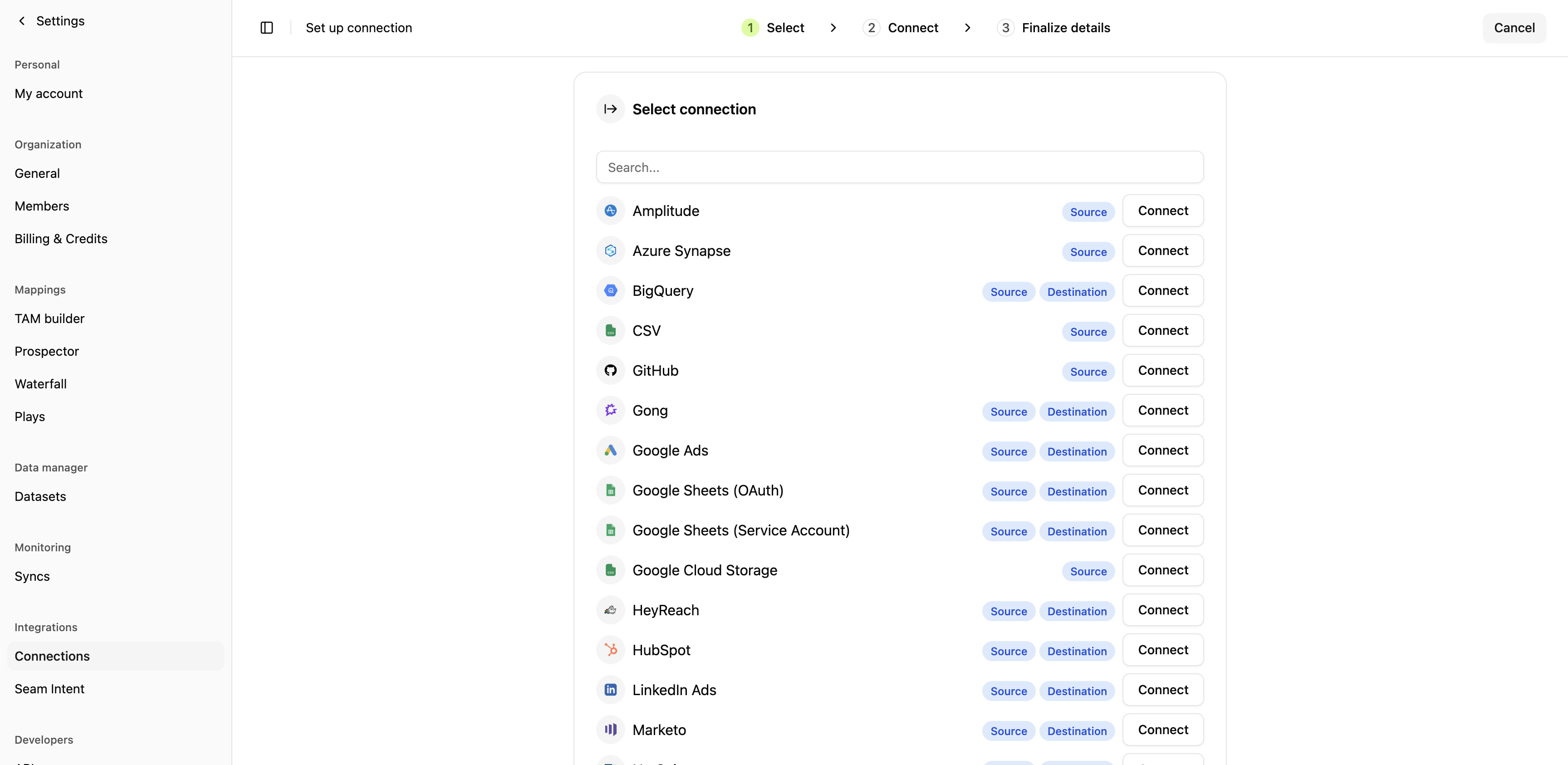 Click **Connect** next to any system to begin the OAuth or API token authorization flow.
## Available Connections
### CRM Systems
Start here - your CRM is required for all other Seam features.
* [Salesforce](/connections/salesforce-auth)
* [HubSpot](/connections/hubspot-auth)
### Sales Engagement Platforms
Connect your sales engagement tool to deploy contacts from plays.
* [Outreach](/connections/outreach)
* [Salesloft](/connections/salesloft)
* [Smartlead](/connections/smartlead)
* [Apollo.io](/connections/apollo)
### Marketing Platforms
* [Marketo](/connections/marketo)
* [LinkedIn Ads](/connections/linkedin-ads)
* [Google Ads](/connections/google-ads)
### Data Warehouses & Databases
* [Snowflake](/connections/snowflake)
* [BigQuery](/connections/bigquery)
* [Redshift](/connections/redshift)
* [Azure Synapse](/connections/azure-synapse)
* [PostgreSQL](/connections/postgres)
### Analytics & Product Intelligence
* [Amplitude](/connections/amplitude)
### Business Systems
* [NetSuite](/connections/netsuite)
* [Slack](/connections/slack)
* [GitHub](/connections/github)
### Data Sources
* [CSV Upload](/connections/csv)
* [Google Sheets](/connections/google-sheets)
## Next Steps
Check that accounts, contacts, and activities are syncing correctly in Seam.
Capture first-party intent data from website visitors.
[Install web pixel →](/onboarding/setup/installing-web-pixel)
Define which pages and topics indicate buying intent.
[Set intent keywords →](/onboarding/setup/setting-intent-keywords)
Click **Connect** next to any system to begin the OAuth or API token authorization flow.
## Available Connections
### CRM Systems
Start here - your CRM is required for all other Seam features.
* [Salesforce](/connections/salesforce-auth)
* [HubSpot](/connections/hubspot-auth)
### Sales Engagement Platforms
Connect your sales engagement tool to deploy contacts from plays.
* [Outreach](/connections/outreach)
* [Salesloft](/connections/salesloft)
* [Smartlead](/connections/smartlead)
* [Apollo.io](/connections/apollo)
### Marketing Platforms
* [Marketo](/connections/marketo)
* [LinkedIn Ads](/connections/linkedin-ads)
* [Google Ads](/connections/google-ads)
### Data Warehouses & Databases
* [Snowflake](/connections/snowflake)
* [BigQuery](/connections/bigquery)
* [Redshift](/connections/redshift)
* [Azure Synapse](/connections/azure-synapse)
* [PostgreSQL](/connections/postgres)
### Analytics & Product Intelligence
* [Amplitude](/connections/amplitude)
### Business Systems
* [NetSuite](/connections/netsuite)
* [Slack](/connections/slack)
* [GitHub](/connections/github)
### Data Sources
* [CSV Upload](/connections/csv)
* [Google Sheets](/connections/google-sheets)
## Next Steps
Check that accounts, contacts, and activities are syncing correctly in Seam.
Capture first-party intent data from website visitors.
[Install web pixel →](/onboarding/setup/installing-web-pixel)
Define which pages and topics indicate buying intent.
[Set intent keywords →](/onboarding/setup/setting-intent-keywords)