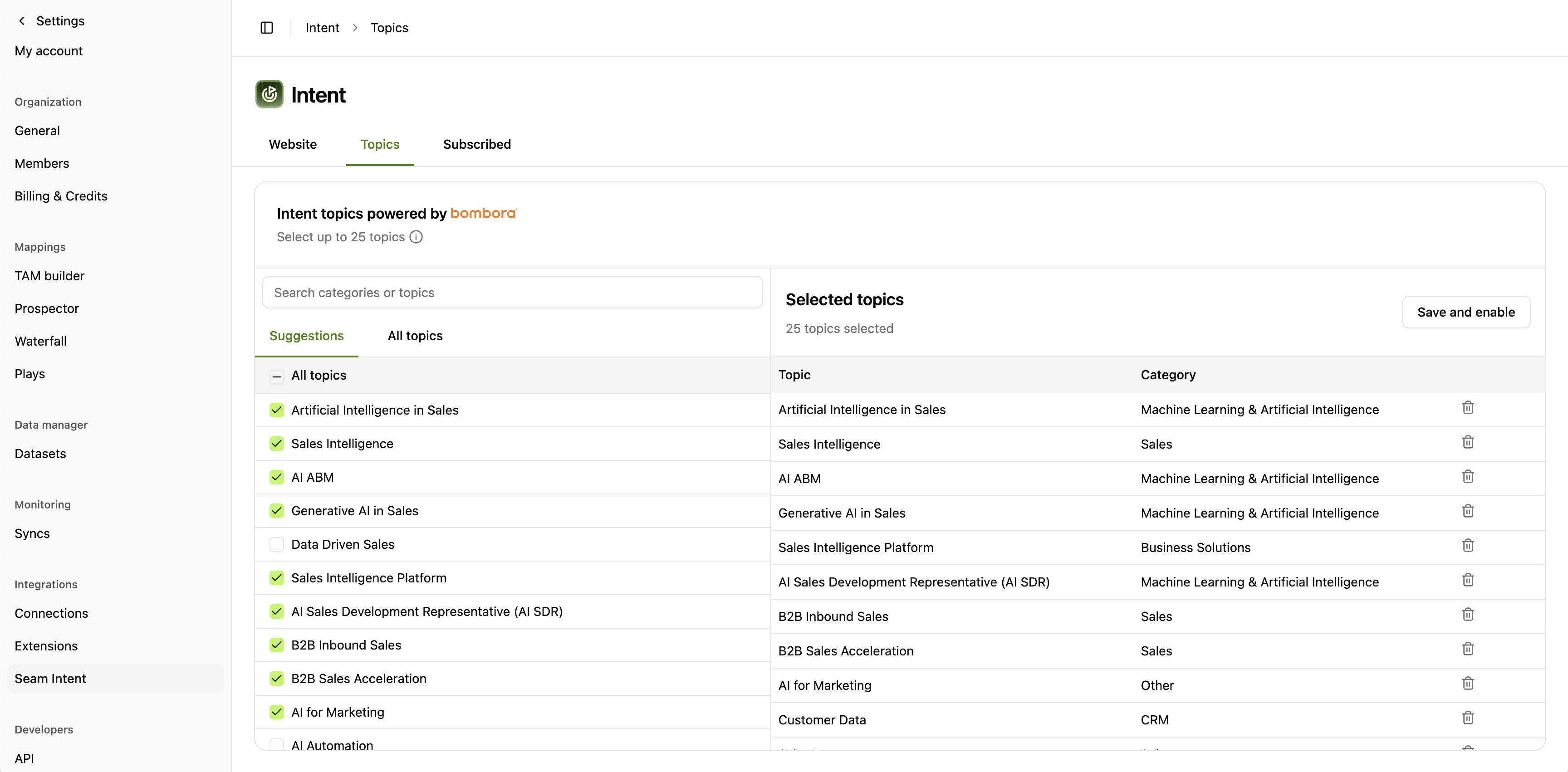
Setting Up Bombora
Step 1: Select Topics to Monitor
Navigate to Settings → Seam Intent → Topics. Choose up to 25 topics that align with your product, competitors, or buyer interests.
Topic categories include:
- Product categories (e.g., “Sales Intelligence”, “AI ABM”)
- Competitor names
- Use cases and pain points
- Industry-specific solutions
- Technology categories
Seam provides topic recommendations during onboarding based on your ICP and market. Start with suggested topics, then refine based on results.
- Low Intent: Surging on 1-2 topics
- Medium Intent: Surging on 3-5 topics
- High Intent: Surging on 6+ topics or critical topics
You can adjust these thresholds based on your sales cycle and ICP.
Step 3: Enable in Scoring & Plays
Once configured, Bombora intent automatically:
- Contributes to account intent scores
- Triggers automated plays when thresholds are met
- Appears in audience filters and segments
- Syncs to Salesforce for rep visibility